
A little room to wonder
Typography & Layout
Typography arranges written language for a purpose. Type choices, spacing and hierarchy help readers locate information and follow its relationships.
Can a page look attractive while making its essential information difficult to find?
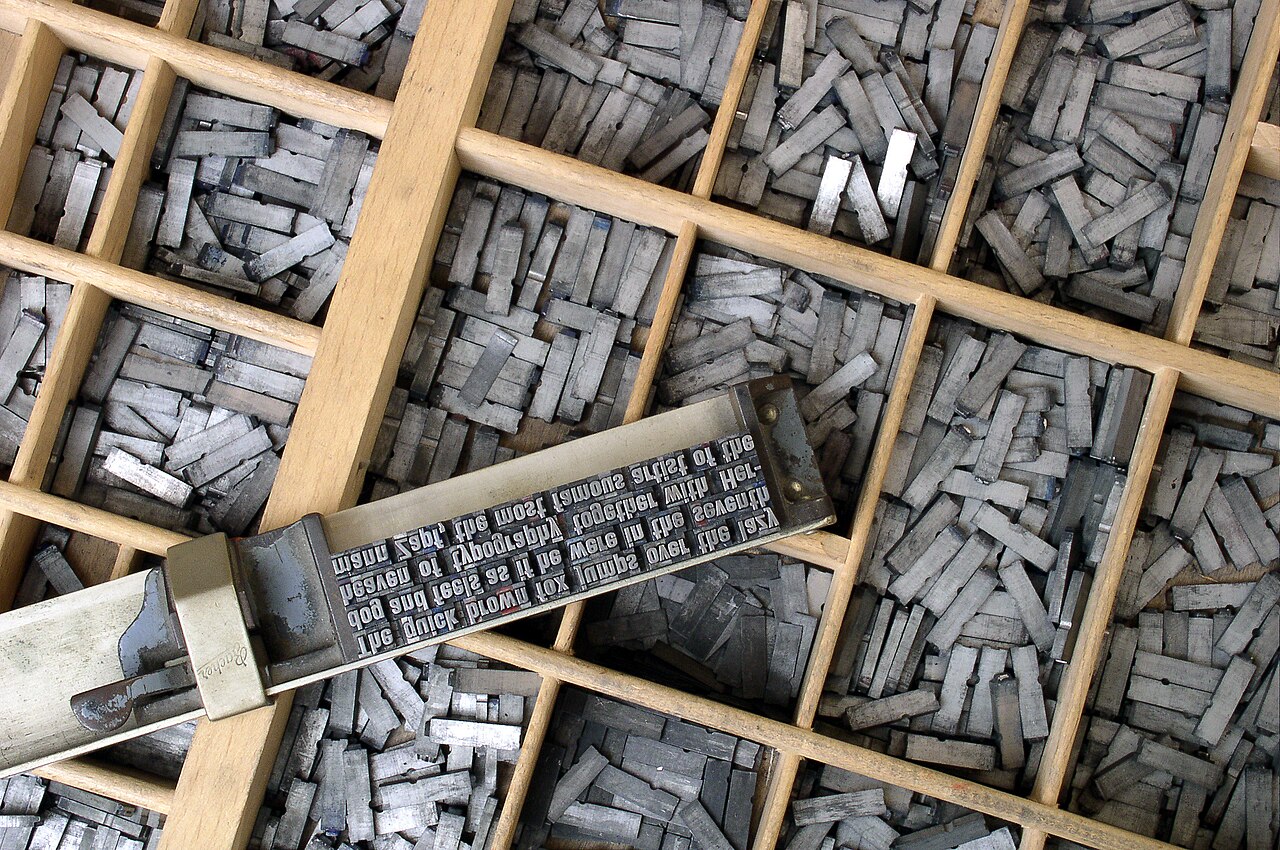
Letters and their arrangement work together
A typeface is a designed family of letterforms; font choices specify a particular presentation such as size, style or weight. Serif letterforms have small finishing strokes, while sans-serif forms omit those strokes. Neither category is automatically the best choice for every reader or purpose.
Layout concerns the arrangement of text and other elements. Line length, spacing between lines and separation between groups affect the reading experience. Adjusting only the typeface can leave the main layout problem untouched.
Make the relationships visible
Hierarchy indicates which information is most important and how sections relate. A clear title introduces the subject; descriptive headings organise the parts beneath it. Headings should form a logical structure as well as look different. A large bold line is not automatically a correctly marked-up heading in a digital document.
Alignment and spacing can show that a label belongs with a particular item. Repeated patterns help readers predict where to look. Too many competing sizes, weights and decorations can weaken the distinctions the hierarchy was meant to create.
Worked example: a fictional display notice
An invented museum notice contains four facts: “Paper Bridge Display”, “Room B”, “2 pm” and “Look at three model designs”. Version A makes the descriptive sentence enormous and hides the room and time in a dense block below it. A reader can recognise the theme but still struggle to act on the information.
Version B gives the display title a clear first position, groups “Room B” and “2 pm” under a descriptive details heading, and leaves the explanatory sentence as ordinary body text. No facts were added. The revision changed the information order and grouping. To evaluate it, ask whether the room and time can be located accurately, rather than assuming the larger headline proves success.
Test the actual reading conditions
A poster, phone screen and printed booklet have different dimensions and viewing distances. A layout that works at one size can become crowded at another. A digital design also needs to tolerate changed text sizes and available fonts rather than rely on one exact screenshot.
Do not claim that a particular font cures a reading difficulty or works for everyone. Clear wording, adequate contrast and alternative ways to access information also matter. A useful revision states which reading task it improves and identifies what still needs checking.
Only if you feel like trying
Reorder the same four facts
- Use the fictional notice’s four facts to sketch two layouts without adding information.
- Point to the first, second and third things a reader is likely to find.
- Choose a narrow phone-shaped frame and revise the grouping. Explain the trade-off.
Optional. Work on paper, point to the example or talk it through. No account, purchase or public sharing is needed.
Look at the sources.
These references informed this introduction. You can check who published them, what evidence they use and whether you would ask another question.
- MDN Web Docs, MozillaFundamental text and font styling
- World Wide Web Consortium, Web Accessibility InitiativeHeadings
Research checked 1 November 2026. External pages have their own content and privacy practices.
Where could this connect?
These are editorial links between subjects. You choose which, if any, to follow.
Colour & Contrast
Letterforms still need sufficient distinction from their background to remain usable.
Follow this connection
Design
Typography and layout organise how a design communicates its intended information.
Follow this connectionWriting Systems
Letterforms represent a writing system whose direction and conventions influence layout choices.
Follow this connection